Skip to content
Social Hub
Instagram
Facebook
Google Business
Pinterest
X (Twitter)
Threads
LinkedIn

Spend Less Time Posting.
More Time Growing.

Manage and share posts across your social media platforms without switching between apps.

Instagram Professional
Cron: 09:00 AM

VitableTech Social Hub scheduled post preview showing a warm coffee-table scene
Studio workspaces preview thumbnail
Studio Workspaces & Morning RitualsBoard auto-matched via OAuth
Reel Preview 0:18
Pinterest Aesthetic Pin
Cron: 11:30 AM
Handmade ceramic collection aesthetic preview for Pinterest pin scheduling
Handcrafted ceramics collection preview thumbnail
Handcrafted Ceramics & Clay CraftsAuto-synced to Pinterest & Facebook
Studio Reel 0:24
Threads Creator Dispatch
Cron: 02:15 PM
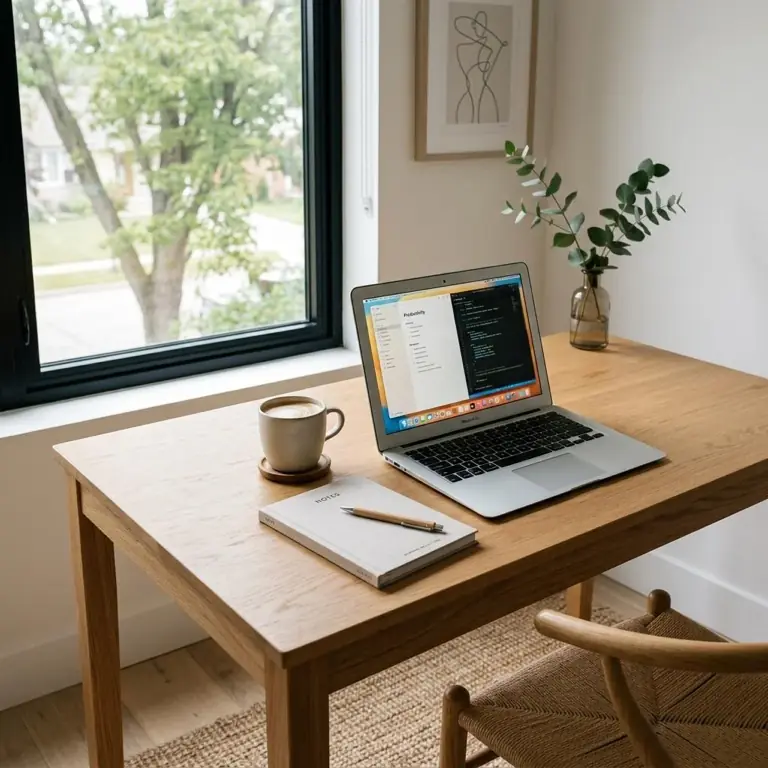
Minimalist laptop workspace setup ready for social broadcast
Workspace focus rhythms preview thumbnail
Modern Workspaces & Focus RhythmsCross-posted to Threads & LinkedIn
Workflow Demo 0:15
Facebook Business Page
Cron: 04:45 PM
Afternoon coffee tasting community preview scheduled for Facebook Business Page
Community roastery tasting preview thumbnail
Community Roastery Tasting SessionPublished to 3 connected Pages
Event Story 0:30
Google Business Profile
Cron: 06:00 PM
Flagship showroom showcase photo for Google Business Profile update
Flagship studio weekend hours preview thumbnail
Flagship Studio Weekend HoursLocation update live on Google Maps
Store Tour 0:18
Built For Real Growth

How VitableTech Social Hub Helps You Succeed

Managing an active social media presence across multiple platforms used to require hours of manual copy-pasting, logging in and out, and juggling different tools. Here is how we change that:

Connect Your Accounts in One Go

Connect your social media accounts, and Social Hub automatically finds the pages and profiles you can post to. No need to search for IDs or set everything up manually.

Write Posts for Every Platform with AI

Not sure what to write? AI helps turn your idea into a post that fits each platform, so you can spend less time writing and more time growing your business.
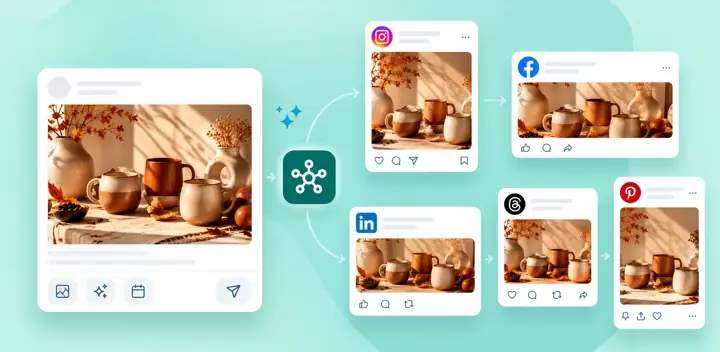
Write Posts for Every Platform with AI - multi-format post generation and AI captions

Plan Your Posts with a Visual Calendar

See all your planned posts in one calendar. Spot empty days, plan ahead, and keep your social media active without the last-minute rush.
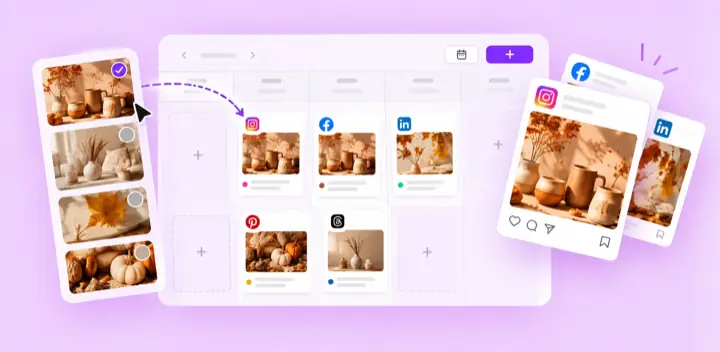
Plan Your Posts with a Visual Calendar - drag and drop social schedule grid

Keep Your Account Details Secure

Passwords are securely hashed and stored social access credentials use authenticated encryption. We do not sell personal data.

Keep your account details secure with protected social credentials
1Sign inUse the platform’s secure authorization screen.
2DiscoverAvailable Pages, profiles, boards, and locations load automatically.
3ChooseSelect every destination or only the ones your team needs.
Your social workflow, with ChatGPT

Connect ChatGPT to VitableTech Social Hub.

Bring your social publishing workflow into ChatGPT. Ask it to review recent posts, draft fresh content, choose from your available channels, and schedule posts—all through a secure, permission-based connection.

  • Turn an idea into a ready-to-review post draft
  • Adapt content for the channels your account can access
  • Schedule content and confirm before it goes live

You choose what to authorize. ChatGPT only works with the channels and actions your account is allowed to use.

ChatGPT + Social HubCONNECTED WORKFLOWReady
YOUR PROMPT

Draft a launch post for our new collection and prepare versions for my connected channels.

Your content, ready for review

A tailored draft is prepared for the channels you select. Review it, make edits, then schedule or confirm publishing.

InstagramFacebookThreadsGoogle Business
Make Every Local Visit Count

Your Google Business presence, all in one place.

Keep your locations up to date, stay close to customer feedback, and see how people find your business—all from your Social Hub workspace.

Stay up to date

Manage your locations

View your Google Business Profile locations, make updates, and keep information in sync from one workspace.

Build customer trust

Keep up with reviews

Bring Google reviews into your workflow, reply to customers, and use AI-assisted drafts when you need a starting point.

See what is working

Understand your performance

Follow key Google Business Profile activity over time and use those insights to plan what to share next.

Schedule Visually. Let cron fire.

Drag visual drafts into your 7 active queue slots with server-side automated cron.
Queue Dispatch RailServer Cron Active
MON 1909:00 AM
Summer drop lookbook social post scheduled draftSummer Drop Lookbook✓ Dispatched Instagram + FB

TUE 2011:15 AM
Morning studio brew post draft scheduled for Threads and PinterestMorning Studio Brew✓ Dispatched Threads + Pin

WED 21 (TODAY)14:30 PM
Architectural harmony room update draft for Google Business ProfileArchitectural Harmony Room◷ Cron in 15m Google Business
Slot 6 / 7 AvailableDrag image or video here

Connect your accounts. Start posting.

Connect your social media accounts, and Social Hub automatically finds the pages and profiles you can post to. No need to search for IDs or set everything up manually.

  • Auto-detects Facebook Pages & Instagram Business
  • Auto-populates Pinterest boards & Google locations
  • Authenticated encryption for stored credentials
Auto-Discovered Destinations

Studio Design PageFB: 84920481 · Auto Linked

✓

Aesthetic BoardsWorkspace, Lifestyle, Architecture

✓

Studio Flagship LocationGoogle Business Profile Verified

✓
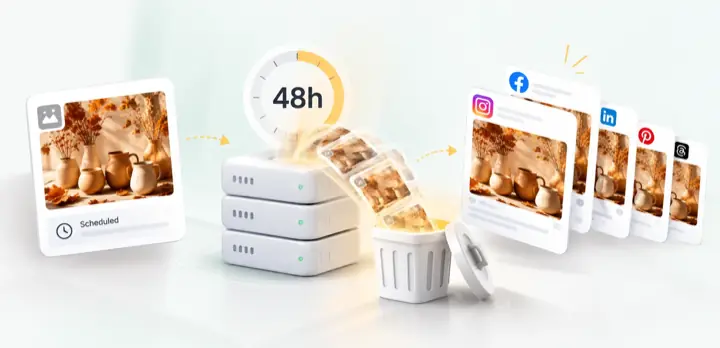
Automated 48-hour temporary upload cleanup and zero server retention policy

Uploads cleared in 48 hours. Posts stay live.

Images and videos uploaded to Social Hub are automatically removed from our servers 48 hours after your scheduled post is published. Your published posts stay on your social media accounts.

  • Temporary uploads are automatically cleaned up
  • Schedule up to 7 posts for dispatch at the same time
  • Share preview links so clients can review posts before publishing
The VitableTech Advantage

Why People Choose Our Product Over Expensive Alternatives

Traditional social media managers charge steep monthly subscription fees and lock basic scheduling behind paywalls. VitableTech Social Hub was designed with honesty, transparency, and fair use at its core.

Other Social Tools

Fragmented apps charging premium fees for basic functions.

Comparison showing expensive and complex traditional social tools
  • ❌ Expensive monthly pricing: Steep recurring costs billed per social account or per user seat.
  • ❌ Manual account setup: Typing Page names, IDs, and locations creates avoidable setup errors.
  • ❌ Overcomplicated dashboards: Bloated menus and persistent upsell banners slowing down your workflow.
  • ❌ Data stored indefinitely: Third-party tracking and unencrypted credential storage.
  • ❌ No agentic workflow support: Lacks modern ChatGPT or Model Context Protocol integrations.

VitableTech Social Hub

Purpose-built for speed, simplicity, and zero maintenance overhead.
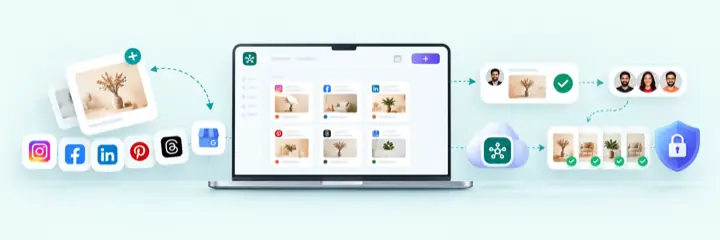
Comparison showing VitableTech Social Hub free starter plan and instant multi-platform publishing
  • ✓ 100% Free Starter Plan: Get publishing immediately without entering any credit card.
  • ✓ Five Direct-Connect Platforms: Instagram, Facebook, Threads, Pinterest, and Google Business Profile are available in the current release.
  • ✓ Multi-Channel Auto-Dispatch: Target 7 channels at once our server cron schedules and dispatches all 7.
  • ✓ Built-in Client Approval Links: Share tokenized preview links for clients or teammates to approve drafts.
  • ✓ Backed by VITABLETECH (https://vitabletech.in) ↗: High-reliability infrastructure with authenticated encryption for stored social credentials.
Honest & Transparent Architecture

Our Fair-Use Free Plan & Future Roadmap

To keep our server running at peak speed for all creators without charging fees, we operate transparent fair-use storage and scheduling quotas:

Coming Soon • Roadmap

Pro & Agency Subscription

Subscription / tier

For heavy power-users, agencies, and brands requiring extended server retention and massive scheduling queues.

🚀 Planned Premium Capacities:
  • 7-Day & 30-Day Extended Retention: Keep historical post logs, media, and long-term engagement analytics on the server.
  • 50+ Concurrent Scheduled Sends: Queue hundreds of posts across dozens of channels simultaneously.
  • ✓ Everything in Free Plan
  • ✓ 7-Day / 30-Day Post & Media Storage
  • ✓ High-Capacity Scheduling Queue (50+ items)
  • ✓ Dedicated Background Cron Worker Priority
  • ✓ Additional Platforms & Bring-Your-Own Credentials
Frequently Asked Questions

Direct Answers

Everything you need to know about our fair-use model.

Why are server media files cleared after 48 hours?

To offer this platform freely to the public without charging server subscription fees, our server automatically purges completed/published media after 48 hours. This prevents server disk exhaustion and keeps the app fast for everyone. Your published content remains live on the destination platform.

How do the 7 active queue slots work?

You can have up to 7 scheduled destination sends waiting in the queue at one time. For example, sending one campaign to three Facebook Pages, two Google Business locations, Instagram, and Threads uses seven slots. The slots open again as each send completes.

Do I need to enter Page or location names manually?

No. Sign in with the supported platform and the Hub discovers the Pages, profiles, Pinterest boards, or Google Business locations available to that account. You can select all of them or choose only specific destinations.

Who is behind VitableTech Social Hub?

VitableTech Social Hub is engineered, hosted, and maintained by VitableTech (https://vitabletech.in) ↗, dedicated to building high-performance digital tools for modern businesses and creators.

Is my account secure against hackers and data leaks?

We enforce strict server-side rate limits to prevent brute-force attacks, require HTTPS everywhere, and encrypt stored social API credentials at rest.

Which platforms are supported in the current release?

Direct sign-in is currently available for Instagram, Facebook, Threads, Pinterest, and Google Business Profile. X, LinkedIn, and other bring-your-own-credential connectors are not included in the current hosted release.

Publish beautifully. Start in 60 seconds.

Cross-post smoothly across Instagram, Threads, Pinterest, Facebook, and Google Business with server-cron reliability.